.jpg?width=100&height=75&name=NextPax%20logo%20(3).jpg)
How hospitality operators can create a Stripe Account?
Both vacation rental companies as hotel organisations can easily register their Stripe Account via NextPax and continue in the Stripe Dashboard. In this way your newly created Stripe account is automatically linked with your setup in NextPax.
Go to NextPax Core application --> Account Settings --> Connect Stripe
Define if you would like to connect multiple or just 1 Stripe Account & press 'Connect Stripe'
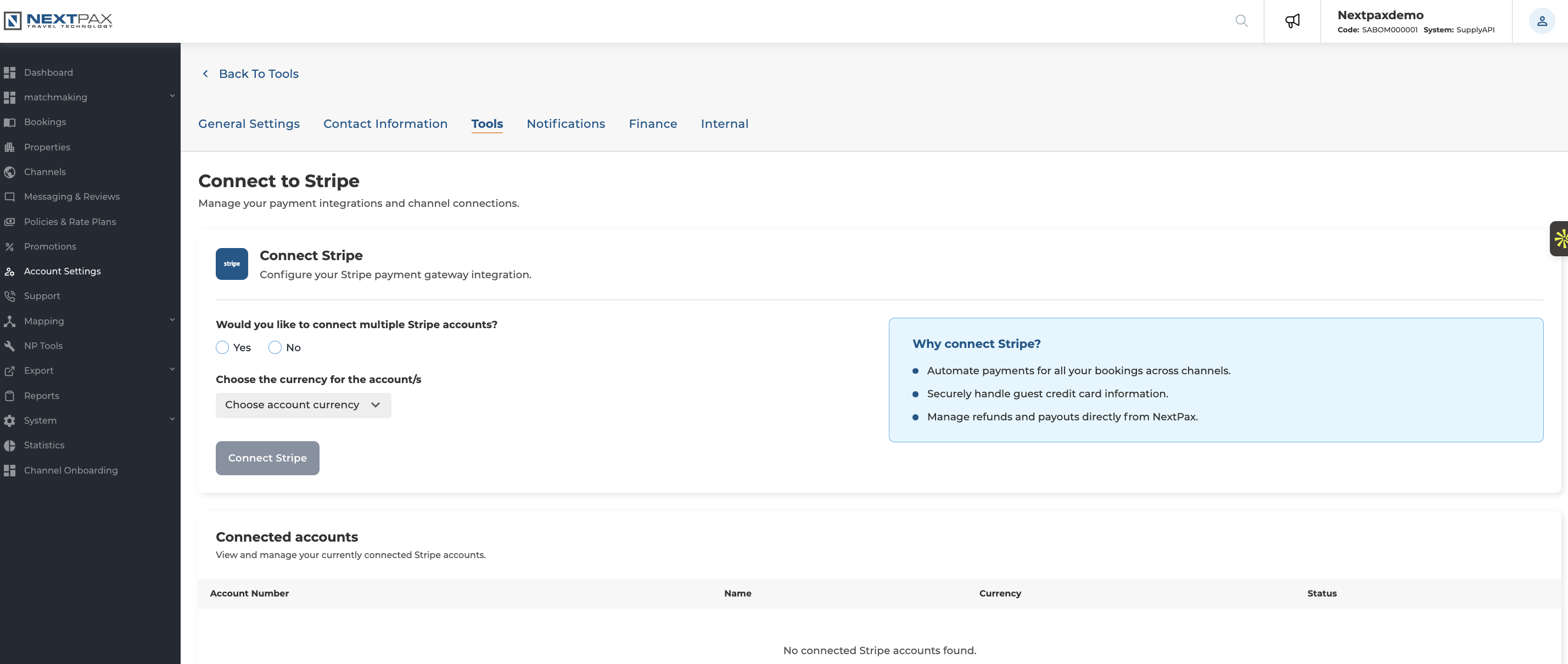
Please know that if you select multiple Stripe Accounts you can only select 1 account per currency.
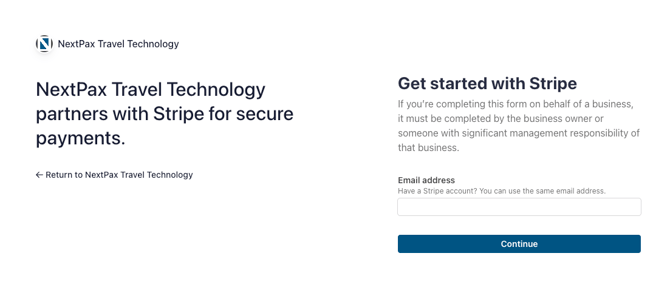
Enter your email adress
Enter your email address, if new it will detect it as a new account, allowing you to create an account on Stripe.
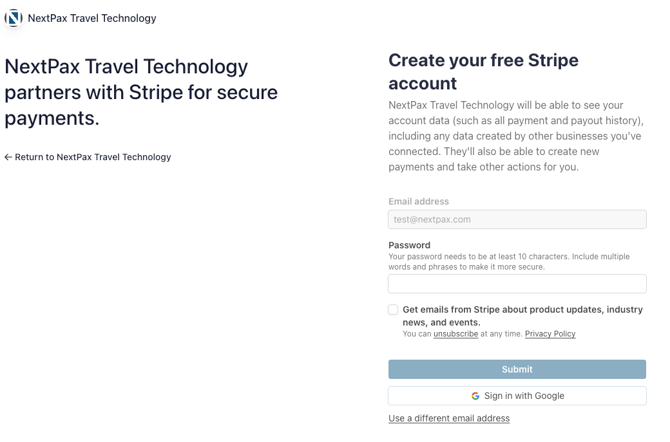
Once your email is detected as new, it will ask you to set your password and to submit. Alternatively you can create an account with SSON with Google.
Verify your email address:
Stripe will send you a confirmation email. Click the link in the email to activate your account.
Set up your business details:
You’ll be asked to provide:
-
-
Business type (select "Hotel", "Vacation Rental", or similar)
-
Legal business name and address
-
Bank account details (for payouts)
-
Business representative details (owner/manager)
-
Activate your account:
Complete all required steps and submit the form. Once approved, your account will be live and ready to process payments.