.jpg?width=100&height=75&name=NextPax%20logo%20(3).jpg)
Step 1: Log-in to your Hostfully account and access the Channels page

Step 2: Scroll down and enable the NextPax switch.

You will be prompted on next steps as below:

With "Manage this channel" link, you will have the ability to specify which property to turn ON for this channel.

Step 3: Access Agency Settings and obtain your Hostfully Agency UID under the Main Settings tab. (instructions)
Step 4: Send the following details to support.us@nextpax.com in order to have the connectivity activated. From their our Onboarding & Operations team will guide you through the process further.
- Agency UID
- Notification Email (usually one of your support desk)
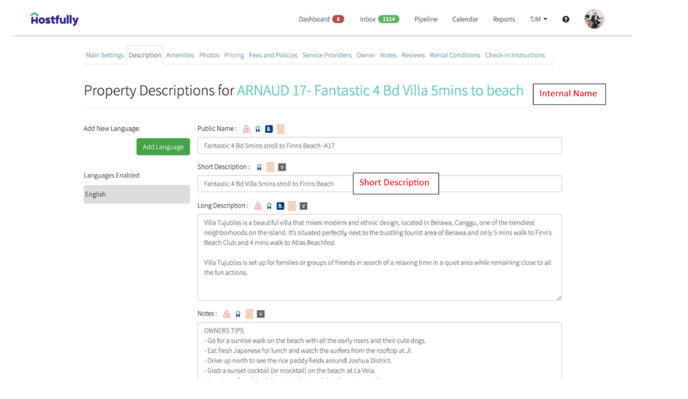
- What title you would like to use across the OTA's via NextPax.
Option A: Listing Title
Option B: Listing Headline Description.
Within Hostfully either of these fields will be used depending on your choice.
Step 5: NextPax Support to import your accommodations into NextPax and will provide a user login for you to access the accommodations in our dashboard.